Pastea for Developers

Clipboard history,built for developers.

You copy code, terminal commands, API responses, file paths, error messages, JSON, documentation, and URLs all day. Pastea keeps them searchable, so the useful snippet you copied five minutes, or five days, ago doesn’t disappear the next time you press ⌘C.

Starts with a 7-day free trial, no credit card required.

The problem

Stop searching twice for something you already found.

Development involves a surprising amount of copying and pasting. A command from documentation, a stack trace from the console, a JSON response from Postman, a path from Finder, a snippet from Stack Overflow.

Then you copy something else and the previous item is gone from the normal macOS clipboard.

Search

Find that command you copied earlier.

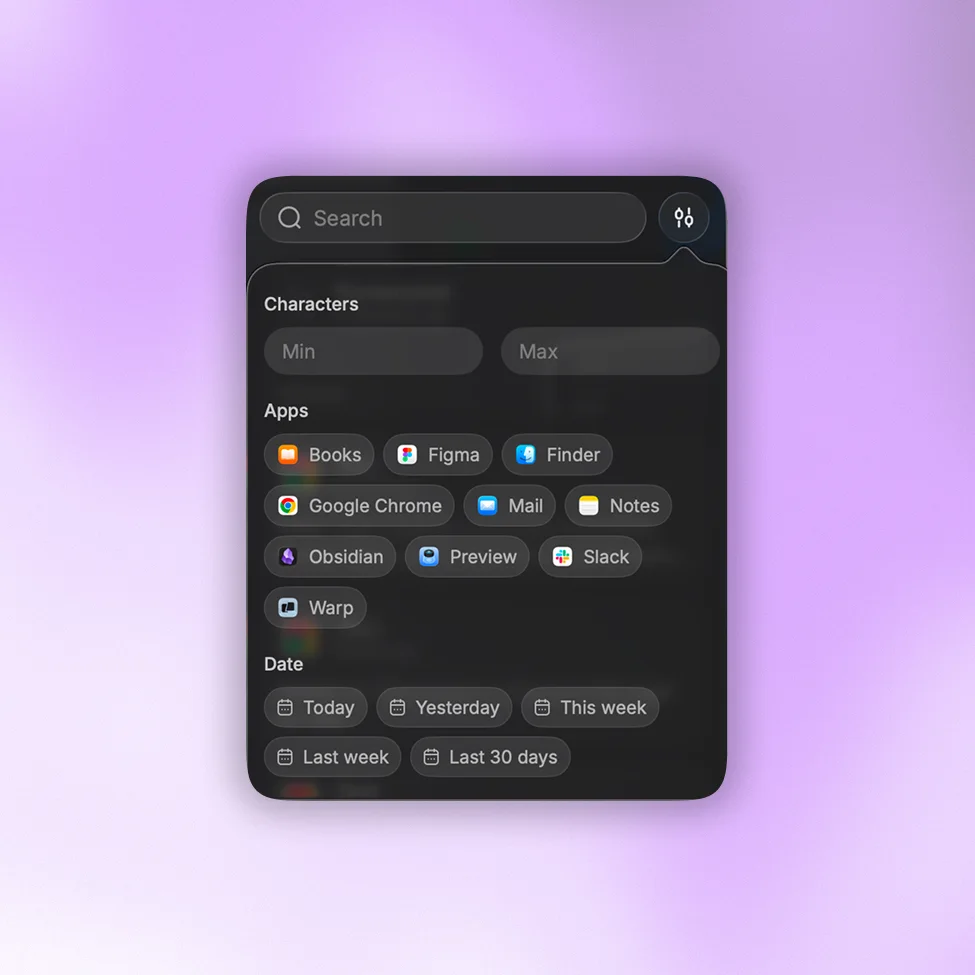
You don’t always remember the exact text. Maybe you remember it came from Terminal, that it was code, that it was yesterday, or that it contained part of an API endpoint.

Search your history and narrow it by content type, source app, date, or length until the right clip is in front of you.
Context switching

Move between editor, terminal, and browser without losing anything.

A normal hour runs browser, terminal, editor, docs, Slack, terminal, browser again.

Quick Paste brings your history to where you are already working. Open it, search, pick the clip, and keep going.

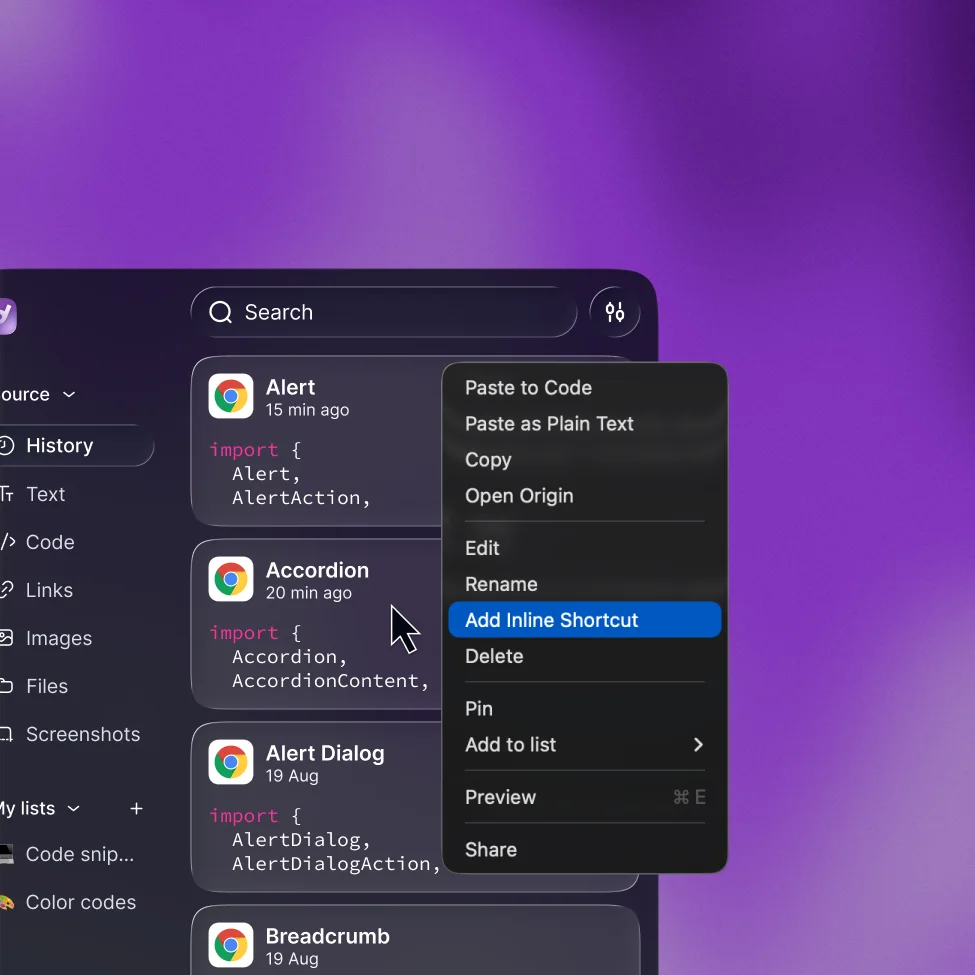
Inline Shortcuts

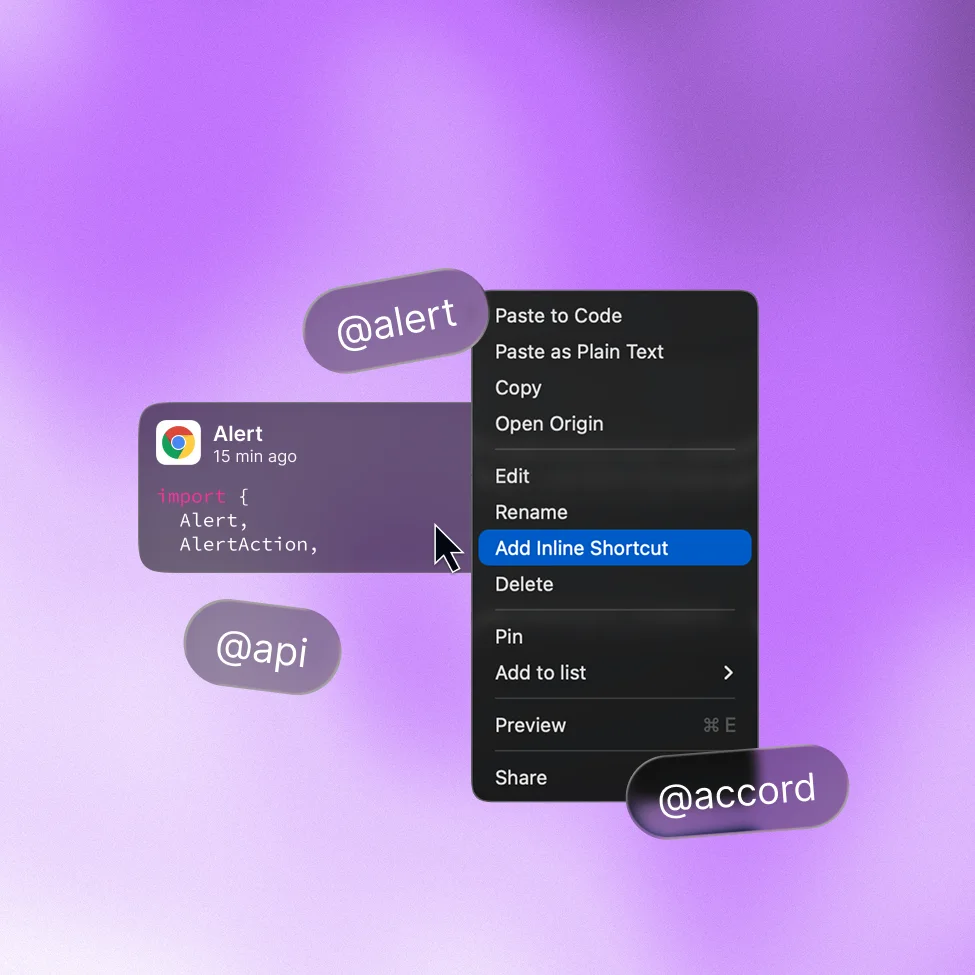
Turn repeated commands into something you can type.

Some clips aren’t things you want to search for. They’re things you already know you’ll need again.

Give one a short trigger and expand the full command anywhere, so ;gitlog becomes the long git log incantation you can never remember.

Custom lists

Keep the snippets that became part of your toolkit.

Not everything belongs in temporary history. Keep a list for Git commands, one for curl requests and example responses, one for the SQL and regex you keep rewriting.

Pin the handful you reach for constantly so they stay at the top.

MCP

Connect your clipboard to your AI coding tools.

Your clipboard already holds a lot of context about what you’re working on: code, errors, documentation, API responses, commands.

Pastea can expose approved history to compatible AI tools through an optional MCP connection, so they work with what you already collected instead of you pasting the same context into every conversation. They can search, read and copy, they can’t delete your clips, and concealed items are never shared.

Get a second opinion

Ask ChatGPT about Pastea.

Tell ChatGPT how you work and see where Pastea could fit into your workflow.

Your clipboard shouldkeep up with you.

Keep the commands, snippets, responses, and paths you reuse every day searchable and one keystroke away.

Download Pastea for macOS

Starts with a 7-day free trial, no credit card required.