4 Raycast Clipboard History Alternatives for Mac in 2026

Raycast already has a good clipboard manager. If you use Raycast for launching apps, managing windows, running extensions, and storing snippets, its built-in history should be the first thing you try.
A separate clipboard app makes sense when you want the clipboard to be the product rather than one command inside a larger launcher. That might mean a persistent visual library, named lists, saved-screenshot capture, a smaller interface, cross-device apps, or a different pricing model.
There is also a new option in 2026: macOS Tahoe has clipboard history in Spotlight. You may not need to install anything.
The short version
| Option | Best for | Price checked September 9, 2026 | Main tradeoff |
|---|---|---|---|
| Stay with Raycast | People who already use Raycast throughout the day | Free for up to three months of history; Pro is $8/month billed annually or $10 monthly | Clipboard history does not sync between devices |
| Spotlight | Basic searchable history with no extra app on macOS Tahoe | Included with macOS | Few dedicated organization features are documented |
| Pastea | A focused Mac clipboard library with lists, screenshot search, inline shortcuts, MCP access, and an iPhone/iPad companion | Direct Mac license: $29.99 lifetime; a $22.49 launch offer was active when checked | No shared team library; inline triggers and MCP run on Mac |
| Maccy | A small, free, open-source clipboard utility | Free from the official website | Deliberately less library-like than visual clipboard managers |
| Paste | Shared Pinboards and a visual paste queue across an Apple-device clipboard library | $29.99/year or $89.99 lifetime | Costs more if you only need a Mac clipboard utility |
Try Raycast first if it already runs your Mac, or Spotlight if basic history is enough. Choose Maccy for minimalism. Compare Pastea and Paste for a library across Mac, iPhone, and iPad: Pastea adds a focused Mac workflow with inline triggers and MCP access, while Paste offers shared Pinboards and a visual paste queue.
Before switching, make sure Raycast is actually the problem
Raycast Clipboard History is not a token extra. It records text, images, files, links, emails, and colors. It can preserve original formats, search recognized text inside images, pin and rename entries, turn a clip into a snippet, paste as plain text, and paste recent items sequentially.
If you have not set it up yet, start with our Raycast clipboard history walkthrough. It covers the hotkey, search, paste actions, retention, and disabled applications before you compare alternatives.
Raycast also handles the privacy basics well. The company says clipboard content is encrypted on the local drive and does not leave the computer unless you use a feature that sends it elsewhere. Common password sources are ignored by default, and you can disable capture for additional apps.
The free personal plan keeps up to three months of clipboard history. Six-month, one-year, and unlimited retention require Pro. Raycast's current pricing lists Pro at $8 per month when billed annually or $10 month to month, but that payment covers Raycast AI, cloud sync, themes, dictation, and other features—not only clipboard history.
One detail is easy to miss: Raycast Cloud Sync does not sync Clipboard History. Raycast lists it among the data that always stays on each device. Pro gives you longer local retention, but not one shared clipboard-history library across your Macs.
If you use several of those features, paying for Raycast may be cheaper and simpler than assembling separate apps. A dedicated alternative becomes interesting when the clipboard workflow itself is where Raycast feels cramped.
Why use a dedicated Raycast clipboard alternative?
The best reason is not “more features.” It is a better fit for the way you retrieve and reuse clips.
A separate clipboard manager may be worth it if you want to:
- browse a visual history without entering a launcher command;
- keep clips in named lists rather than only pinning individual entries;
- capture screenshots saved to a folder even when you did not copy them;
- search approved clipboard history from Claude, Cursor, Codex, or another coding tool;
- keep long history without paying for an AI subscription you do not need;
- keep one history available across multiple Macs;
- use a tiny open-source utility that does nothing beyond clipboard history;
- access a full clipboard library on iPhone and iPad as well as Mac.
Those are different jobs. No single alternative is best at all of them.
1. Spotlight: best if you want no extra app
The most important clipboard change on the Mac in 2026 did not come from a clipboard app. macOS Tahoe 26 added searchable clipboard history to Spotlight.
Apple's instructions are short:
- Press ⌘ Space to open Spotlight.
- Press ⌘ 4 or click the Clipboard button.
- Search for an old item, select it, and press ⌘ C.
- Return to the destination and press ⌘ V.
Spotlight can browse recently copied text, images, links, and files. You can also clear the history, and macOS asks you to enable Clipboard Search before first use because sensitive information may appear there.
For version checks, setup, and recovery advice, see our complete guide to clipboard history on Mac.
This is the sensible starting point if you have Tahoe and occasionally need to recover something you overwrote. It is built in, costs nothing extra, and uses a shortcut you may already know.
Apple's clipboard guide documents search, copy, and clear-history controls. It does not describe the kind of long-term organization found in dedicated apps: named collections, reusable clip triggers, or a visual library designed to hold reference material. If your clipboard is temporary working memory, Spotlight may be enough. If it is becoming part of your knowledge system, keep reading.
2. Pastea: best for a focused Mac clipboard workflow
We build Pastea, so we are not neutral here. We also do not think every Raycast user should install it.
Pastea is the strongest fit when you like Raycast's speed but want a dedicated place for clipboard work. Press ⇧ ⌘ V for the full right-edge panel or ⇧ ⌘ Space for Quick View beside the cursor. Search is ready immediately, and Return pastes the selected item back into the app you were using.
It saves text, code, links, colors, images, screenshots, and files. The useful differences appear after capture:
- Lists and collecting: Pin an important clip, file it into a named list, or mark a list as collecting so new copies go there until you stop.
- Saved screenshots: Pastea can watch the folder where macOS saves screenshots, so a screenshot can enter history without first being copied to the clipboard.
- On-device text recognition: Words inside images and screenshots join the search index. The picture stays intact, and the recognized text can be copied separately.
- Open Origin: When macOS exposes enough context, Pastea can remember the page, document, or file a clip came from and take you back to it later.
- Inline shortcuts: Give a stable clip a trigger such as
;replyor;address, then type that name to insert the full content. - Clipboard access for AI tools: Pastea can expose approved history through a local MCP endpoint to Claude, Cursor, VS Code, Windsurf, Codex, and compatible clients. Each tool gets separate approval and can be revoked.
That last distinction is easy to blur. Raycast can send a selected clip to Raycast AI, and its Ask Clipboard command can search Raycast's full history inside Raycast AI. Pastea's MCP integration is for letting an approved external tool search and read the history you already built.
Pastea is local-first. History stays on your devices, iCloud sync is optional, and Mac capture can be paused or disabled for specific apps and content types. Concealed items can be excluded. Link previews are a network exception: fetching one may contact the copied site, so previews can be turned off. The full detail is in how Pastea handles clipboard privacy.
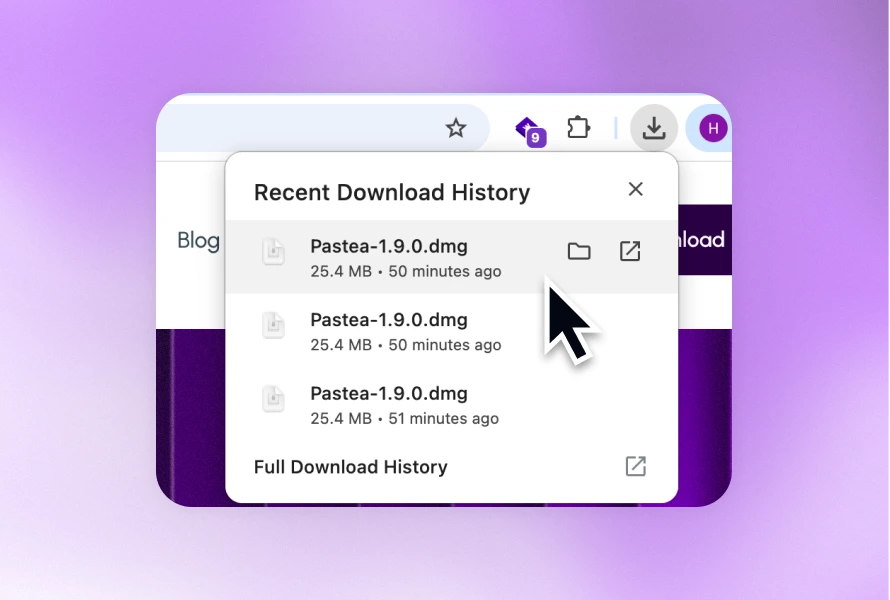
The direct Mac license is $29.99 once and includes future Pro updates across your personal Macs. A $22.49 launch offer was still active when we checked, and the Mac download starts with a seven-day trial without a card. Check the current price before relying on the promotional figure.
Pastea's native iPhone and iPad app lets you save supported clips from the Share menu or by opening Pastea after copying, then reuse them through search or the Pastea keyboard. Optional iCloud sync shares that history with your Mac. iOS does not allow the continuous background capture available on Mac. The mobile app offers a free trial you start through Apple's purchase sheet; help explains trial, Lifetime, and existing Mac access.
Choose Pastea if lists, saved screenshots, visual search, inline shortcuts, mobile access, or external MCP access solve a real problem. Choose another option if you prefer an open-source utility or Raycast's larger extension ecosystem.
3. Maccy: best when “less app” is the feature
Maccy is a native, keyboard-first clipboard manager with a narrow promise: keep copy history and make it quick to search.
Press ⇧ ⌘ C, type a clue, and choose the result. You can pin clips, paste without formatting, clear unpinned history, and pause capture. Everything is stored on the Mac, and the project is open source under the MIT license.
Maccy is the best answer when Raycast feels like too much software for one small job. It is free from the developer's site or GitHub, and its source is available for inspection. If visual collections, screenshot OCR, rich organization, or AI-tool connections are the reason you are leaving Raycast, a more ambitious clipboard manager will fit better.
One practical warning matters here: Maccy's developer says fake websites are impersonating the app. maccy.app is the official site. Do not search for a similarly named download and assume the first result is legitimate.
4. Paste: best for shared Pinboards and a visual paste queue
Paste makes the most sense when your clipboard should be a library across Apple devices rather than a Mac-only utility.
Paste offers visual history, search, unlimited retention, Pinboards, iCloud sync, shared Pinboards, and Paste Stack for queueing several items and pasting them in order. Its personal plan covers Mac, iPhone, and iPad. Pastea also has apps for those devices, so compare the organization and pasting workflows as well as platform coverage.
Paste is worth trying when you need to share a curated collection with other people or prefer a horizontal visual timeline and queue-style pasting. Both Paste and Pastea can keep saved material available away from the Mac through their iPhone and iPad apps.
Paste's pricing was $29.99 per year or $89.99 lifetime when checked, with a seven-day trial. If you only need basic Mac history, Spotlight, Raycast Free, or Maccy costs less. If mobile access, shared Pinboards, and Paste Stack matter, the extra cost buys specific capabilities rather than a longer feature list.
For a closer product-by-product breakdown, see Paste vs Pastea.
What if you want to replace all of Raycast?
This article is about alternatives to Raycast's clipboard history, not alternatives to Raycast as a whole.
If you are also replacing app launch, file search, workflows, snippets, and system commands, Alfred is the more direct comparison. Clipboard History is part of Alfred's paid Powerpack, which was £34 for a single Alfred 5 license or £59 with free lifetime upgrades when checked.
Alfred is not the smallest clipboard replacement, and Pastea is not a launcher. Decide which scope you are replacing before comparing prices. Replacing one Raycast command and replacing Raycast itself are different purchases.
Choose by workflow, not by checklist
Feature tables get noisy because several apps can technically capture the same text or image. The better question is what happens after the copy.
You need one item from earlier today
Use Spotlight on macOS Tahoe or stay with Raycast. Both put searchable recent history inside a tool already on your Mac.
You fill forms from several recent values
Raycast's Paste Sequentially command moves through recent entries one by one. Pastea's Sequence Paste lets you collect and reorder a visible queue, then paste each item with Command-V. Compare it with Paste Stack if you prefer to prepare a sequence before filling separate destination fields.
You want old screenshots to become searchable reference material
Raycast can recognize text in images you copy. Pastea goes further for screenshot-heavy work because it can also watch the macOS screenshot folder and index saved captures you never placed on the clipboard. See the full Mac screenshot text workflow.
You keep stable replies, addresses, or code fragments
Raycast Snippets already handles this well. Pastea's Inline Shortcuts are useful when you want to turn an existing clip into a named trigger without moving it into a separate snippet workflow. Maccy is better when you would rather pin an item and retrieve it from a compact menu.
You want a coding agent to retrieve old context
Raycast's Ask Clipboard can search its history inside Raycast AI. Pastea can let an approved external MCP client search history and lists, read a chosen clip, or copy it back to the system clipboard. Paste also offers MCP for external AI tools. The right choice depends on which assistant you use and whether you want clipboard access inside that assistant or through a separate approved client.
You need clipboard history on iPhone or iPad
Compare Pastea and Paste: both offer native iPhone and iPad apps with iCloud history sync. In Pastea, save from the Share menu or open the app after copying, then reuse saved clips with the Pastea keyboard. Maccy is a Mac app. Raycast Clipboard History is available on Mac and Windows, but Raycast's documentation says those histories stay on their individual devices rather than syncing.
Privacy: “stored locally” is only the first question
Clipboard managers can see copied passwords, private messages, customer data, API tokens, and reset links. Treat their privacy settings as part of the product, not a page you read after installation.
Check five things before choosing any app:
- Where is history stored? Raycast says its clipboard database is encrypted locally. Maccy stores history on the Mac. Pastea stores history locally and uses your private iCloud database only if you enable sync. Paste uses iCloud for its cross-device library.
- What happens to concealed items? Password managers can mark copies as concealed, but no detection system catches every secret. Exclude sensitive source apps where possible.
- Can capture be paused? A visible pause is useful before working with credentials or confidential material.
- Do link previews make network requests? A local database does not mean every feature is offline. Previewing a URL may contact that site.
- What changes when AI is involved? A local connector may control access, but an approved AI client can still send what it reads according to that client's own privacy policy.
The safest clipboard item is the one you never store. Use a password manager for credentials, not a pinned clip.
How to switch without creating two clipboard histories
You can run Raycast and a dedicated clipboard manager together while testing. Both may record the same copies, so give them different shortcuts and review the privacy settings in each.
Use a small test that reflects real work:
- Copy a formatted paragraph, a code block, a file, a link, and an image.
- Take a screenshot containing a distinctive error message.
- Search using the clue you would actually remember—not the first word in the clip.
- Paste each result into the destination app and check formatting and file behavior.
- Try the workflow that motivated the switch: a list, sequential paste, an inline trigger, mobile access, or an AI-tool search.
- Copy from an app you intend to exclude and confirm it never appears.
Do not assume a new app can import your existing Raycast history. Keep Raycast available until you have recovered or saved anything important. When you decide to replace it, open Raycast Settings, select Clipboard History, and turn the feature off so only one app continues recording.
Final recommendation
Stay with Raycast if you already use the rest of Raycast and its three-month free history—or unlimited Pro history—meets your needs. It is capable, private by design, and better than many “alternatives” articles admit.
Use Spotlight if you have macOS Tahoe and only need to recover recent clips. Choose Maccy if you want the smallest free, open-source option. Choose Paste if shared Pinboards or its visual paste queue are the features you need.
Choose Pastea when the missing piece is a dedicated Mac clipboard workflow: visual history, named lists, saved screenshots, searchable OCR, inline shortcuts, Open Origin, and approved MCP access for external tools. Its iPhone and iPad companion can keep your saved clips available on mobile through optional iCloud sync.
If that sounds like the gap you are trying to fill, try Pastea free for seven days. No card is required. Keep Raycast installed during the trial and let the faster workflow win.